 DoubleEntry
Free personal bookkeeping for Android
Know where your money is. To the cent.
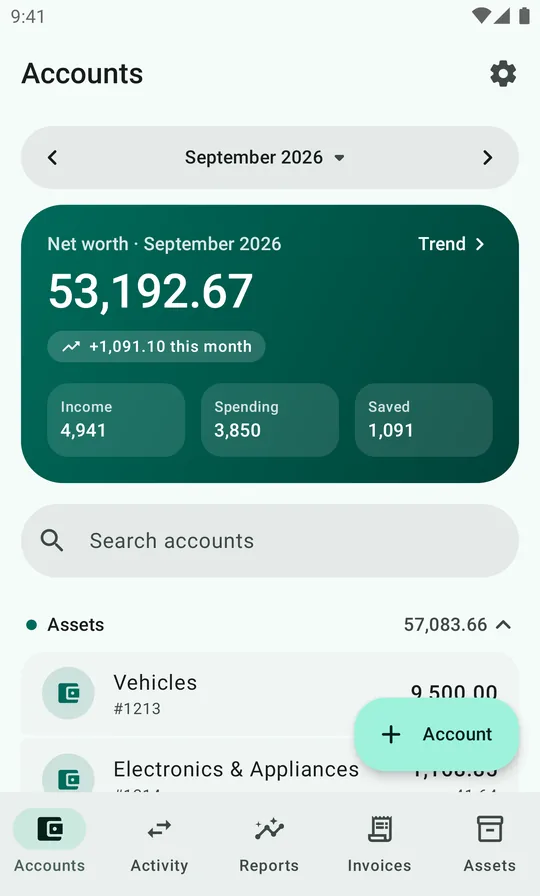
DoubleEntry keeps your personal finances the way accountants keep a company's books. Every transaction is a balanced entry between accounts, so your balance sheet, income statement and net worth always add up.
Why double entry
A budgeting app tracks spending. Bookkeeping tracks everything.
Most finance apps keep a list of expenses. DoubleEntry keeps a ledger: money never appears or disappears, it moves from one account to another. That one rule catches mistakes, keeps loans and savings in the picture, and gives you reports you can trust.
One payday, five accounts
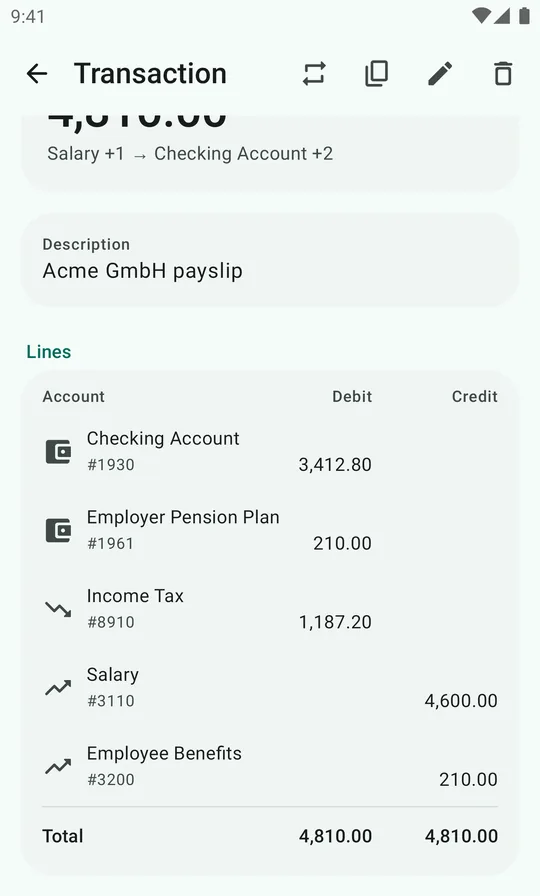
Your salary isn't just "+3,412.80 in the bank". Your employer paid 4,600.00, withheld 1,187.20 in tax and put 210.00 into your pension. DoubleEntry books all of it in one balanced transaction:
| Account | Debit | Credit |
|---|---|---|
| 1930 Checking Account | 3,412.80 | |
| 1961 Employer Pension Plan | 210.00 | |
| 8910 Income Tax | 1,187.20 | |
| 3110 Salary | 4,600.00 | |
| 3200 Employee Benefits | 210.00 | |
| Total | 4,810.00 | 4,810.00 |
Now the income statement shows what you really earned and paid in tax, the balance sheet shows your pension growing, and the checking account matches the bank to the cent.
What's inside
Everything a household ledger needs
Accounts
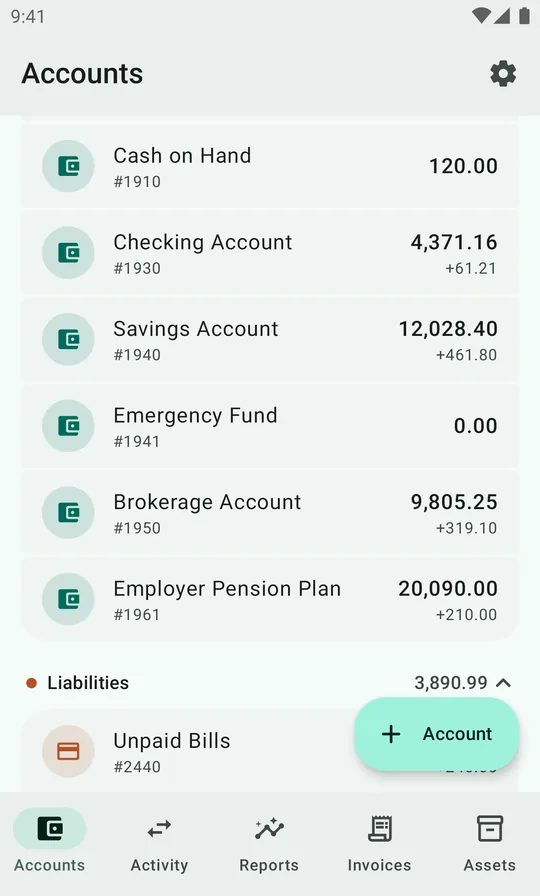
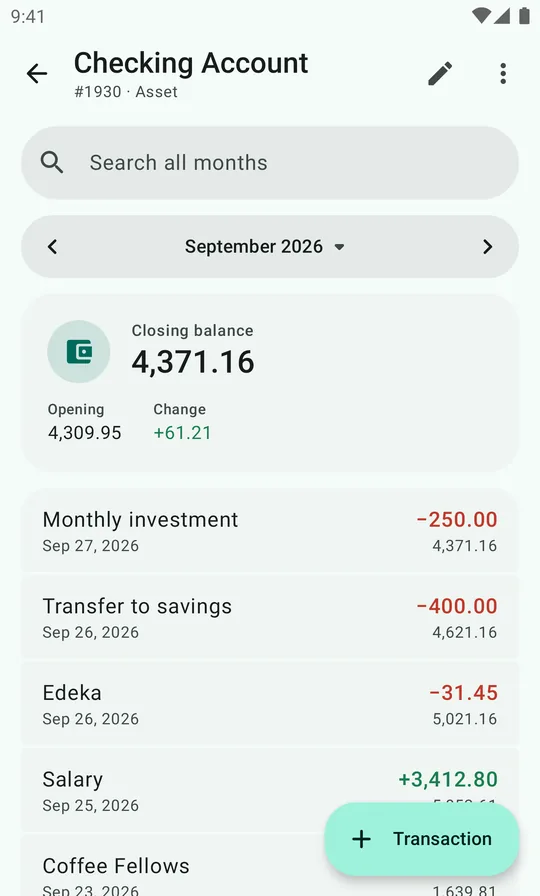
Net worth at a glance, accounts grouped by type, and a monthly ledger per account with a running balance. Start from a ready-made personal chart of accounts.
Bank statement import
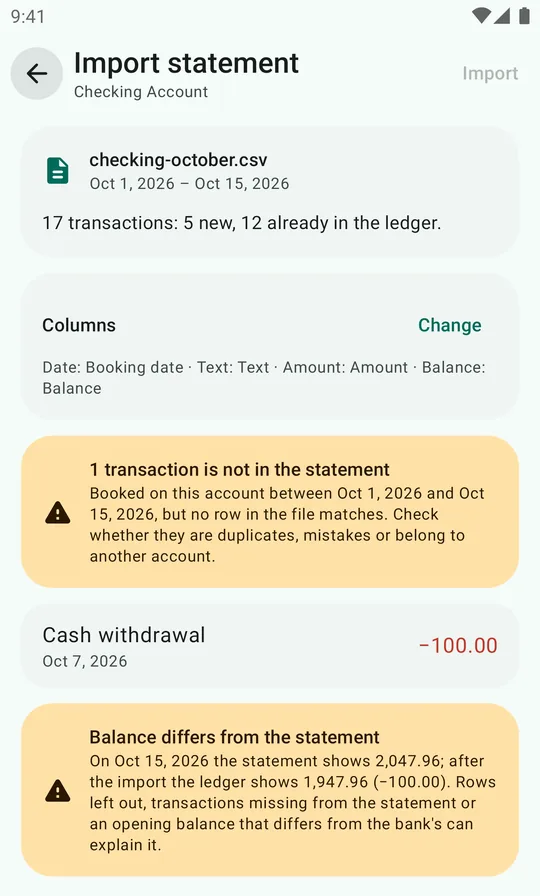
Import your bank's CSV, TSV or Excel export. Columns, dates and number formats are detected, rows already booked are skipped, and new rows are booked like last time.
Balanced transactions
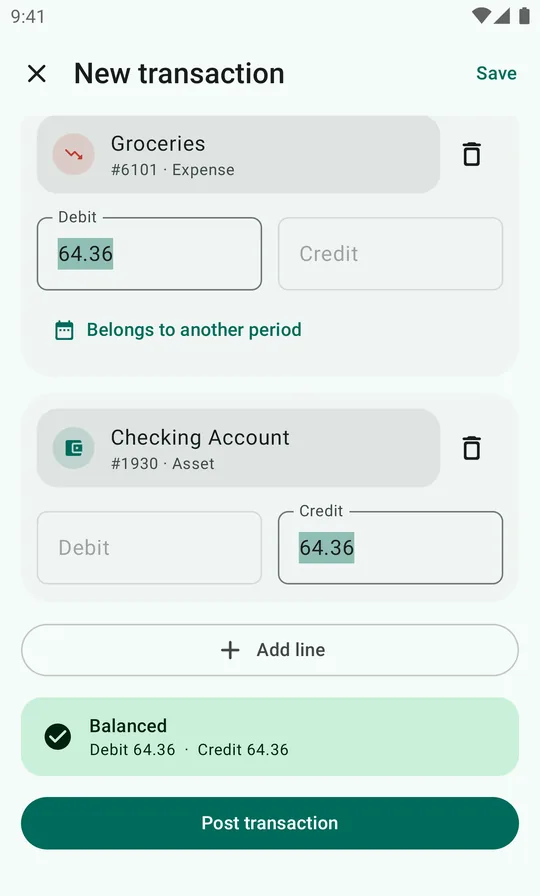
Multi-line entries with auto-balancing. Typing a title suggests earlier transactions and copies their lines. Edit, duplicate, and delete with undo.
Real reports
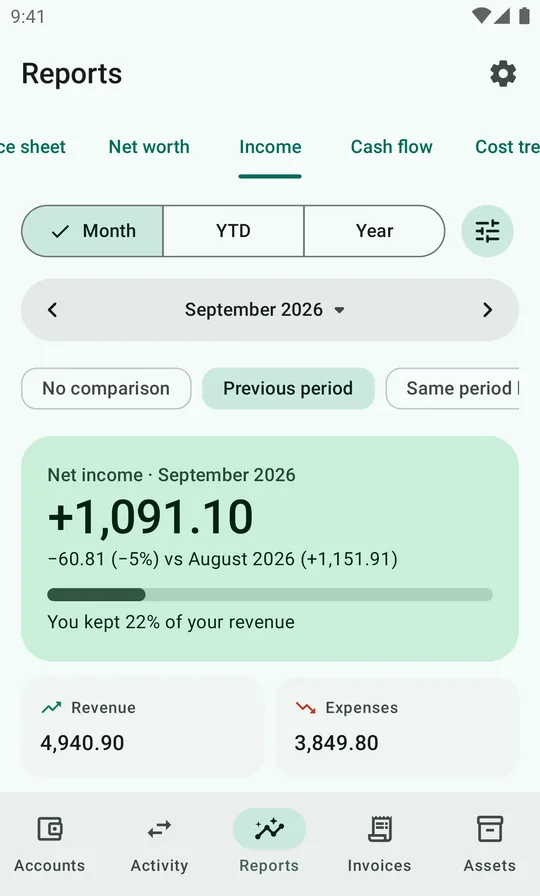
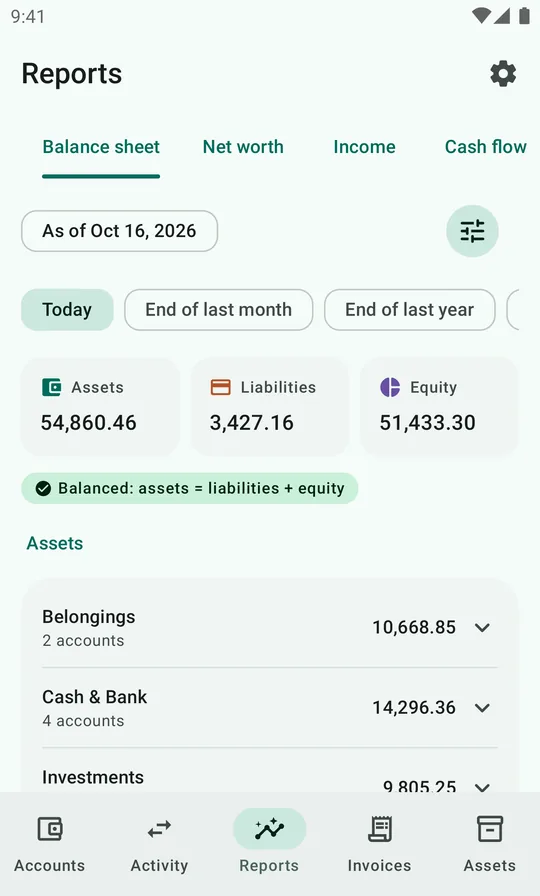
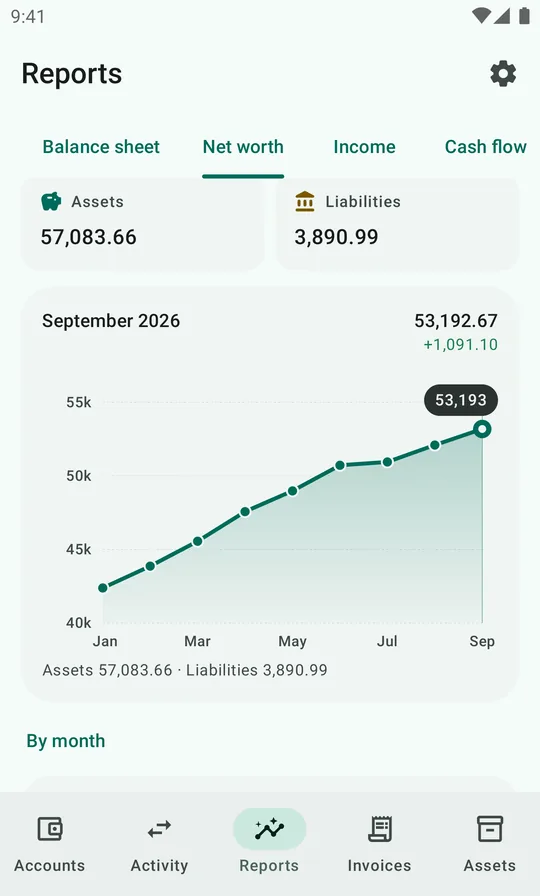
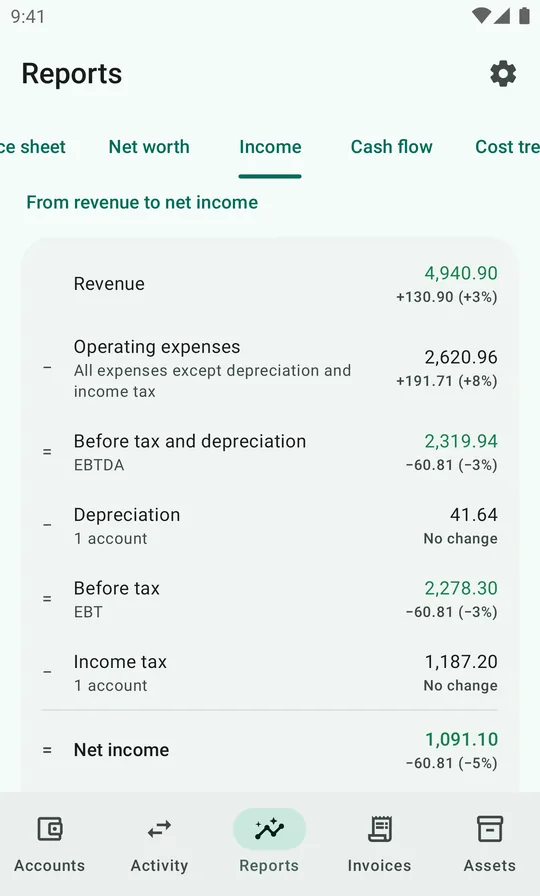
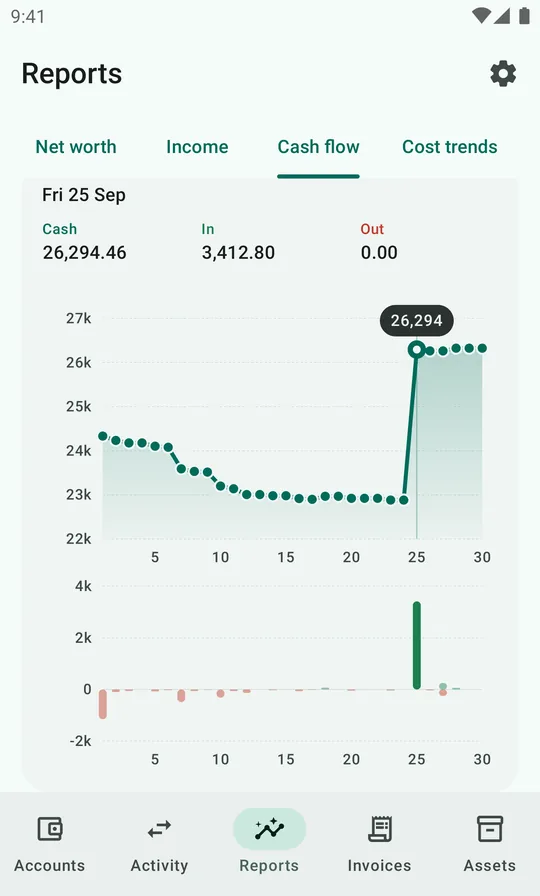
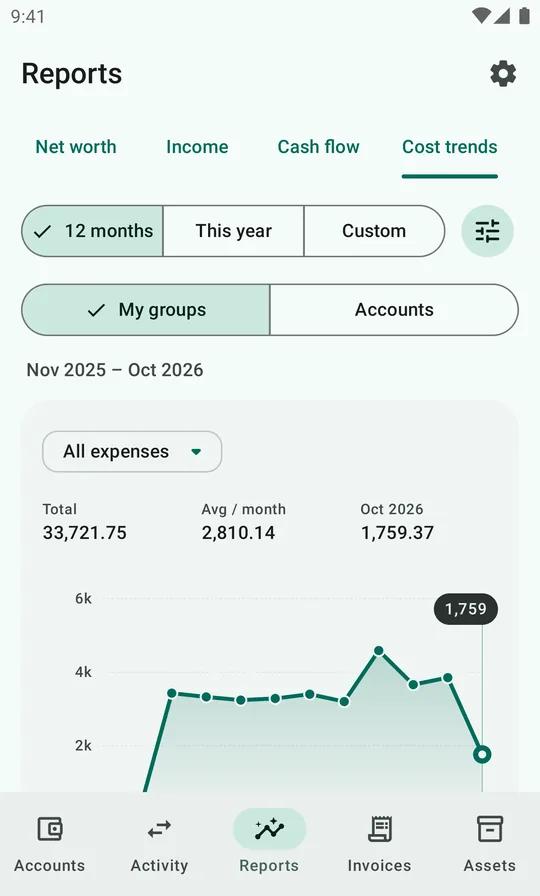
Balance sheet, net worth over time, an income statement that adds up step by step to spendable income, cash flow and cost trends. Compare with last month, last year or an average month.
Recurring, invoices, assets
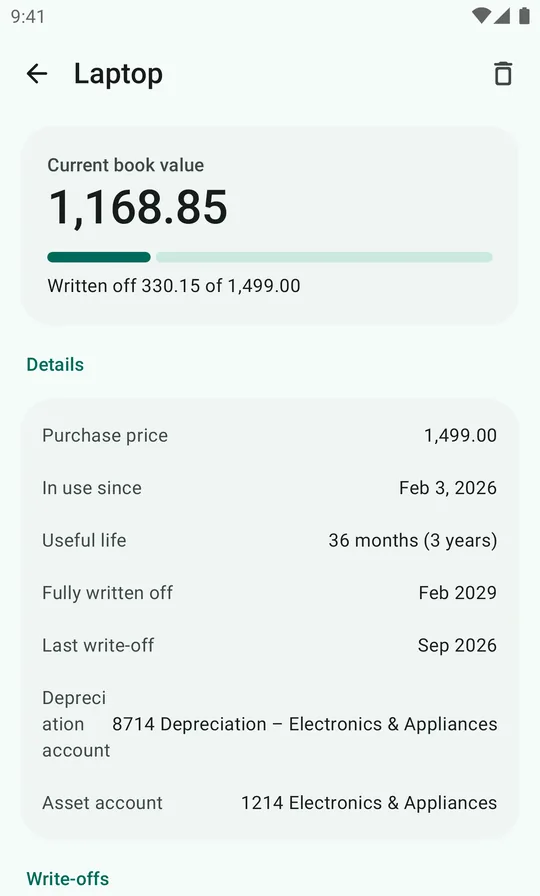
Rent and salary post themselves. Bills are tracked until paid, with reminders. Things you own are depreciated month by month automatically.
Private by design
Your ledger stays on your phone unless you turn on cloud backup. No account needed, no ads, no tracking. Optional app lock with screen lock or biometrics, and full JSON backups you control.
A tour with demo data
See it in action
Screenshots from the app, with a fictional household's ledger.
The guide
From first launch to your first balance sheet
New to bookkeeping? Start with the explainer. Then follow the guide in order, or jump to what you need.
Double entry explained
Debits, credits, the five account types and the one equation that holds it all together.
Getting started
Pick a chart of accounts, record your opening balances and settle into a monthly routine.
Accounts
Create accounts, number them so reports group them right, read a ledger and reconcile.
Transactions
Book balanced entries, with ready-made recipes for salary, card bills, loans and transfers.
Importing statements
Turn your bank's CSV or Excel export into booked transactions in a couple of minutes.
Reading the reports
What the balance sheet, net worth, income statement, cash flow and cost trends are telling you.
Pricing
The app is free. Cloud backup is free during early access.
Every feature in DoubleEntry is free, with no ads and no limits, and the code is open source. If you'd like your ledger backed up and on all your devices without thinking about it, turn on cloud backup.
DoubleEntry
Open sourceFree
The whole app, for as long as you use it.
- Accounts, statement import, transactions, reports, invoices and assets
- No limits on accounts or transactions
- JSON backup and CSV export whenever you like
- Works offline, no account needed, no ads
- Source code under the Mozilla Public License 2.0
Cloud backup & sync
Early accessFree during early access
Optional. Sign in and it's on, with nothing to buy.
- Every change is backed up as you make it
- Lost, broken or new phone? Sign in and your ledger is back
- The same ledger on your phone and tablet, updated live
- Share your ledger with a partner
- Sign in with your Google account, no new password
After early access, uploading to the cloud will need a subscription. The app will tell you before that changes, and restoring what's backed up stays free. Turn it on under Settings → Cloud backup & sync.
FAQ
Questions
Do I need to know accounting?
You don't need to be an accountant, but you do need to learn how double entry works, and to put in some time. DoubleEntry is for people who want real books for their own money, not a quick expense tracker. Every transaction is a balanced entry you book yourself, and you'll decide which account each line goes to.
The app helps along the way. It explains each account type as you create it, the default chart of accounts is ready to use, and once you've booked a transaction it suggests the same lines next time. The explainer covers the basics in about ten minutes, but expect the first month to take some practice.
Where is my data stored?
On your phone, in the app's own database. Without cloud backup you never sign in and nothing is sent anywhere. With cloud backup, your ledger is also copied to DoubleEntry's server, linked to your Google account, and Cloud backup & sync → Delete account removes it again. Either way, you can make a full JSON backup at any time under Settings → Data management → Export to JSON, and restore it with Import from JSON.
Does it connect to my bank?
No. Instead of handing your bank login to a third party, you download a statement from your online bank (CSV, TSV or Excel) and import it. DoubleEntry skips rows you've already booked, so overlapping statements are safe.
Which currencies does it support?
DoubleEntry keeps one ledger in one currency and formats amounts the way your phone's language settings do. It doesn't show a currency symbol, so it works with dollars, euros or anything else.
Can I get my data out?
Yes. Besides JSON backups, Data management exports every transaction line (date, account, debit, credit) and each account's balance as CSV, ready for a spreadsheet.
What does it cost?
Nothing. The app is free, with every feature, no ads and no limits, and cloud backup & sync is free during early access. After early access, uploading to the cloud will need a subscription; the app will tell you before that changes. If you'd rather not use the cloud, export a JSON backup now and then and keep the file wherever you like.
What happens when early access ends?
The app keeps working and nothing gets locked. Before cloud uploads need a subscription, the app will tell you. Without one, new changes stay on your phone, and what's already backed up stays in the cloud, so you can still restore it on a new phone for free.
Can two people keep one ledger?
Yes, with cloud backup. Invite your partner under Cloud backup & sync → Ledgers & sharing: they get a code, sign in with their own Google account and see the same accounts, transactions, invoices and assets, with each other's changes showing up as you make them. See sharing a ledger.
Which phones does it run on?
Android 8.0 or newer. It has light and dark themes, optional Material You colors, a home-screen widget with your net worth and its 12-month trend, and launcher shortcuts for a new transaction or invoice.
Is it open source?
Yes. The app and the code behind cloud backup are open source. The source code and licenses are on GitHub, and questions, bug reports and feature requests go to the issue tracker.
Start with your opening balance
DoubleEntry is free and coming to Google Play. Until then, the guide shows you exactly how it works.